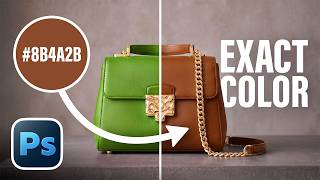
Pick any color and get its HEX code on an Android phone. This guide walks you through free color picker apps that read colors from the camera, a photo or a screenshot, then copy the code into your design. It suits designers, developers and anyone matching a shade.
YouTube video: 5 Best Free Color Picker Apps for Android 2026
YouTube’s video details do not confirm captions. Check CC in the player for available tracks.
Choose a chapter (6)
- Video length
- 8 min 38 s
- Time to do it
- 10 minutes
- Difficulty
- Easy
- Steps
- 8
What you need
Steps
Open Google Play and install a free color picker app. Color Picker - Find Name & Code is a simple starting point for reading HEX and RGB codes.
Open the app and allow camera access when the prompt appears. Most pickers use the camera for live sampling or read colors from a photo you load.
Point the camera at the color you want to capture, then tap the shutter or the screen to lock it. Fill the frame with the color and hold still.
Read the code on the results screen. Look for the HEX value, a six-character code like #3A7BD5, and the RGB numbers if you need those too.
Tap the copy icon next to the HEX code, then paste it into your design app, CSS file or palette tool.
To sample an existing image, choose the photo option, pick a screenshot or picture, and tap the exact pixel you want.
Save the color to a palette if the app has one, so you can reuse it later. Color & Palette and Color Picker & Generator both build palettes.
For colors in the real world, use a live picker such as Color Finder Live Color Picker, which reads shades through the camera as you move it.
Tips and common mistakes
Avoid glare and shadows when sampling with the camera, because they shift the code away from the real shade.
Zoom in or crop the image before tapping a small detail so you hit the right pixel.
Screenshot the color at full size instead of a resized copy, since scaling can blend neighboring pixels.
HEX is for screens, so note the RGB values as well if the color will also be printed or mixed as paint.
Questions
What is the difference between a HEX code and RGB values?
They describe the same color in two formats. HEX writes it as a six-character code like #3A7BD5, while RGB lists the red, green and blue amounts from 0 to 255.
Can I get the HEX code from a photo instead of the camera?
Yes. Load the photo in a color picker app, tap the spot you want, and the app shows the code for that pixel.
Do I need to pay for a color picker on Android?
No. The apps covered here are free to install, and some offer optional extras you do not need for basic picking.
The notes are drafted automatically from video details and general task knowledge. How the guide was prepared
Report a correction