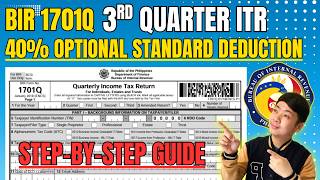
This guide walks you through filing your quarterly income tax return (BIR Form 1701Q) using the offline eBIRForms package and paying online. It suits newly registered self-employed or mixed-income taxpayers who file itemized deductions or the optional standard deduction. You need a computer, the eBIRForms installer and a BIR-registered account.
YouTube video: 1701Q 3rd quarter 2026 : How to File 1701Q using eBIR Online | Itemized or OSD for Newly registered
YouTube’s video details do not confirm captions. Check CC in the player for available tracks.
- Video length
- 10 min 13 s
- Time to do it
- 30 minutes
- Difficulty
- Medium
- Steps
- 9
What you need
Steps
Download the Offline eBIRForms Package from the BIR website and install it on your computer.
Open eBIRForms, log in with your TIN and password, then select BIR Form 1701Q for the correct quarter.
Fill in your taxpayer details and choose itemized deductions or the optional standard deduction (OSD).
Enter your gross income, deductions or OSD, and compute the tax due. Review every field before continuing.
Validate the form in eBIRForms and submit it. Save the confirmation number and the submitted.DAT file.
If you have BIR Form 2307, encode the second quarter details using the BIR Alphalist Data Entry and Validation tool.
Email the validated.DAT file to [email protected].
Pay the tax due through an accredited channel such as Maya or MyEG before the deadline. Keep the receipt.
If your return has attachments like 2307, create an eAFS account and upload the PDF copies.
Tips and common mistakes
File and pay before the quarterly deadline to avoid compromise penalties.
Double-check your TIN, quarter and taxable year before submitting; corrections after filing are harder.
Keep the confirmation number,.DAT file and payment receipt as proof of filing.
The creator is not connected to BIR, so confirm current rules on the official BIR website.
Questions
Do I need to install software to file 1701Q?
Yes. The 1701Q is filed through the Offline eBIRForms Package, which you download and install on a Windows computer.
How do I pay the tax after filing?
Use an accredited BIR payment facility such as Maya or MyEG, and keep the payment confirmation for your records.
What if my return includes BIR Form 2307?
Encode the 2307 details in the Alphalist Data Entry and Validation tool, email the.DAT file to [email protected], and upload PDF copies through eAFS.
The notes are drafted automatically from video details and general task knowledge. How the guide was prepared
Report a correction