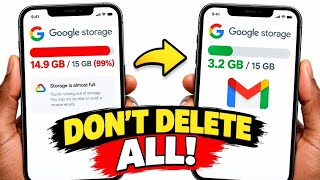
The Hidden Files Eating Your Google Drive Storage, by Digital Egghead on YouTube. 6 min 7 s.
- Video length
- 6 min 7 s
- Time to do it
- 10 minutes
- Difficulty
- Easy
- Steps
- 7
What you need
Steps
Sign in at drive.google.com with the Google account that is full. Click Storage in the left sidebar to see what is using your space.
Open the largest files list and sort by size. Delete or move the biggest files you no longer need, starting with videos and old backups.
Use the Clean up space tool to review suggested files. Confirm the deletions you agree with, then check the storage bar again.
In Gmail, search for larger:10M to find heavy emails, then delete them and empty the Gmail trash. In Google Photos, remove large videos and unwanted backups.
Open Google Drive Trash in the left sidebar and click Empty trash. Confirm, then empty the trash in Gmail and Google Photos too.
Check the storage total after emptying all the trash. It can take time to update, so do not assume the deletions failed.
If you still need room, compare a Google One plan with deleting more files. Only pay for extra storage if you expect to keep the files.
Tips and common mistakes
Files in the trash still count against your storage until you empty it.
Deleting a file from Drive does not always remove it from Gmail or Photos, so check all three.
Shared files owned by someone else do not use your storage, so deleting them will not help.
Empty the Gmail trash and Photos bin as well as the Drive trash.
Questions
Why is my Google storage still full after deleting files?
Deleted files sit in the trash and still count. Empty the Drive trash, Gmail trash and Photos bin, then allow time for the total to update.
How do I find the largest files in Google Drive?
Open Drive on the web, click Storage, then sort or review the largest files. Delete the ones you no longer need.
Do I need Google One to get more storage?
Only if clearing files is not enough. Google One paid plans add storage across Drive, Gmail and Photos.
This guide was drafted from the video's details and general task knowledge. It has not been checked against the full video. Check the video and relevant product instructions before following a procedure. Report a correction.