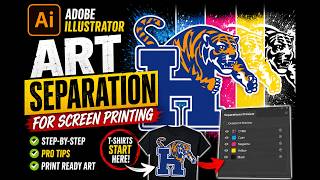
You will build a clean, flat logo from basic shapes in Adobe Illustrator, then export it for screens and print. It suits beginners who know how to open a file and move around the canvas. You need Illustrator installed and a rough idea of the icon or letter you want to draw.
YouTube video: YouTube TV Logo Design in Adobe Illustrator | 2-Minute Tutorial
Caption availability is unknown. Check the CC control in the YouTube player.
- Video length
- 1 min 30 s
- Time to do it
- 20 minutes
- Difficulty
- Easy
- Steps
- 10
What you need
Steps
Open Illustrator and choose File, then New. Set the width to 1000 px and the height to 1000 px, choose RGB color mode, and click Create.
Press Control or Command and R to show rulers, then drag guides to the middle of the artboard so you have a center point to build around.
Draw the main shape with the Rectangle, Ellipse or Polygon tool. Hold Shift while dragging to keep squares, circles and triangles perfectly even.
Round the corners by dragging the small circle inside the shape, or type a value such as 40 px in the Corners field at the top of the screen.
Build the inner cutouts, such as a play triangle, with the Pen tool or another shape. Place it on top of the base shape and center it with the Align panel.
Select both shapes and use the Shape Builder tool to merge or delete sections. Hold Alt or Option and click a piece to remove it.
Fill the logo with two or three flat colors from the Swatches panel. Click a swatch to apply it, and avoid gradients so the mark stays readable.
Add the brand name with the Type tool in a simple font, place it beside or below the icon, and align the two elements to the same center line.
Check the logo at a small size by zooming out to about 15 percent. Thicken thin parts or widen small gaps if the shape gets muddy.
Save the working file as an AI document, then go to File, Export and choose SVG for web use or PNG at 2000 px wide for general use.
Tips and common mistakes
Select all lines and choose Object, Path, Outline Stroke so the logo scales without changing thickness.
Use the Shape Builder tool instead of the Pathfinder buttons; it is easier to undo a wrong click.
Keep the logo to two or three colors so it still works in one color on a receipt or stamp.
Name each layer as you go, because a tidy file is far quicker to edit later.
Questions
Do I need drawing skills to make a logo in Illustrator?
No. Most simple logos are built from circles, rectangles and triangles, so you mainly need to line shapes up carefully. The Pen tool helps for curves, but you can start with basic shapes only.
Which file should I send to a printer?
Send the AI file or a PDF with the text converted to outlines. For websites and apps, export an SVG, which stays sharp at any size.
Can I use a mouse instead of a drawing tablet?
Yes. A mouse works fine for shape-based logos. A tablet only helps if you plan to draw freehand curves with the Brush or Pencil tool.
The notes are drafted automatically from video details and general task knowledge. How the guide was prepared
Report a correction