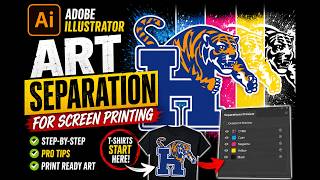
You will take a logo from the first brief to finished files: research, sketching, building the shapes in Adobe Illustrator, choosing a colour palette and presenting it to a client. It suits beginners who already know the Illustrator basics. You need Adobe Illustrator, paper and a pencil.
YouTube video: Designing a logo *step by step* | logo design in illustrator
Caption availability is unknown. Check the CC control in the YouTube player.
Choose a chapter (8)
- Video length
- 7 min 38 s
- Time to do it
- 3 hours
- Difficulty
- Medium
- Steps
- 10
What you need
Steps
Write a short brand brief first. Note who the business sells to, what it stands for and the three words the logo should feel like.
Collect a few reference logos, textures and colours that match the brief. Keep the mood board small and focused on one direction.
Sketch at least ten rough logo ideas on paper with a pencil before you open any software. Fast, messy drawings are fine here.
Open Illustrator and create a new document around 1000 by 1000 pixels. Draw your chosen sketch with the shape tools, starting from simple circles, squares and lines.
Combine and cut the shapes with the Shape Builder tool or the Pathfinder panel until you have clean, closed paths.
Refine the curves with the Direct Selection tool. Turn on the grid and smart guides to keep the spacing and symmetry even.
Set the business name with the Type tool, convert the text to outlines and adjust the letter spacing by hand so it sits well next to the mark.
Build a small colour palette, save each colour as a swatch, and check the logo in pure black and white.
Export the logo as SVG and PNG, and save a second version that works on a dark background.
Present two or three concepts on mockups such as a mug or a shop sign, and explain the reasoning behind each one.
Tips and common mistakes
Design in one colour first, so the shape has to work without colour to help it.
Shrink the logo to about 16 pixels wide to check it still reads clearly.
Keep the palette to two or three colours plus black and white.
Never stretch or squash the logo when you place it on a mockup.
Questions
Do I need to draw well to design a logo?
No. Rough sketches only exist to test ideas quickly. The clean final shapes are built in Illustrator with the shape tools.
How many logo concepts should I show a client?
Two or three well-developed options are usually enough. More than that tends to make the decision harder.
What files should I hand over at the end?
Give a vector file such as AI, EPS or SVG, plus PNG exports at a few sizes and a version for dark backgrounds.
The notes are drafted automatically from video details and general task knowledge. How the guide was prepared
Report a correction