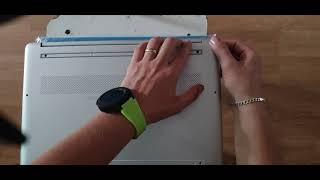
You will learn how to remove dust, crumbs, and grime from a laptop keyboard without damaging the keys or finish. The guide suits beginners and most laptop brands, including MacBook, Dell, HP, and Lenovo. You only need a few cheap tools and about 15 minutes.
YouTube video: How to Deep Clean Your Laptop Keyboard No Damage!
YouTube’s video details do not confirm captions. Check CC in the player for available tracks.
- Video length
- 5 min 1 s
- Time to do it
- 15 minutes
- Difficulty
- Easy
- Steps
- 7
What you need
Steps
Shut down the laptop, unplug the charger, and remove the battery if your model lets you. Wait for the keyboard to cool before you start.
Hold the laptop over a bin and tilt it to shake out loose crumbs. Use a dry soft brush to sweep dust from between the keys.
Give short bursts of compressed air at a slight angle. Keep the can upright, do not shake it, and do not blast air deep into the case.
Press cleaning putty gently onto the gaps between keys, then lift it away. Do not push putty into the gaps or leave it on the keyboard.
Lightly dampen a microfiber cloth with 70% isopropyl alcohol. Wipe the key tops and palm rest, then use a cotton swab for edges. Do not let liquid drip.
Remove keycaps only if your laptop maker allows it and you have a key removal guide. Never pry scissor keys or MacBook keys without the right tools.
Let the keyboard dry fully for at least 10 minutes before you close the lid or turn the laptop on. Check that no liquid or putty remains.
Tips and common mistakes
Do not spray cleaner directly on the keyboard or use bleach, acetone, or abrasive wipes, which can damage the finish.
Keep compressed air upright and use short bursts, because tipping the can can release cold liquid.
If a key feels sticky, clean around it first and check the maker's guide before removing the keycap.
Let the laptop dry completely before powering it on to avoid short circuits.
Questions
Can I use a vacuum cleaner on a laptop keyboard?
A normal vacuum can create static and suck up loose key parts. Use a soft brush and short bursts of compressed air instead.
How often should I clean my laptop keyboard?
Clean loose dust monthly and do a deeper clean every 1 to 3 months. Clean sooner if keys feel sticky or you eat at the desk.
Is rubbing alcohol safe on laptop keys?
70% isopropyl alcohol on a lightly damp cloth is usually safe for most keycaps. Do not use it on the screen or let it drip into the case.
The notes are drafted automatically from video details and general task knowledge. How the guide was prepared
Report a correction