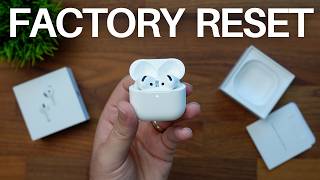
A TCL Roku TV has no AirPods pairing option in its settings, so you route the TV sound to your phone and listen through your AirPods instead. This guide walks you through the Roku Private Listening workaround. It suits any AirPods model and a phone on the same Wi-Fi as the TV.
YouTube video: TCL Roku TV: Connect AirPods [Use & Pair]
Caption availability is unknown. Check the CC control in the YouTube player.
Choose a chapter (5)
- Video length
- 1 min 43 s
- Time to do it
- 10 minutes
- Difficulty
- Easy
- Steps
- 6
What you need
Steps
Turn on the TV and check it is connected to the same Wi-Fi network your phone uses. Private Listening will not work across two different networks.
Pair your AirPods to your phone first. Put them in the case, open the lid near the phone and accept the pairing prompt. For older models, hold the button on the back of the case until the light flashes.
Install the free Roku app from the App Store or Google Play, open it and sign in with your Roku account. Allow the app to find devices on your network if it asks.
Tap Devices at the bottom of the app and pick your TCL Roku TV from the list. The app now shows a remote screen for that TV.
Tap the Remote icon, then tap the headphone icon to switch on Private Listening. The TV speakers go quiet and the sound moves to your phone.
Make sure your AirPods are the active audio output on your phone, then set the volume with the phone buttons or the Roku remote on screen.
Tips and common mistakes
Private Listening sends audio over Wi-Fi, so keep the phone in the same room to avoid dropouts.
If the headphone icon is greyed out, update the Roku app and confirm the TV and phone are on one network.
Only one phone can use Private Listening on the TV at a time, so stop it before someone else tries.
AirPods battery drains while streaming, so charge the case before a long film.
Questions
Can I pair AirPods straight to the TCL Roku TV over Bluetooth?
No. The TV settings have no Bluetooth headphone pairing option for AirPods, which is why the Roku app workaround exists.
Do I need a Roku account to use Private Listening?
Yes. The Roku app needs you signed in and connected to the same network as the TV before the headphone icon appears.
Will the TV sound come out of both the AirPods and the speakers?
No. Turning on Private Listening mutes the TV speakers and sends all audio to the phone your AirPods are connected to.
The notes are drafted automatically from video details and general task knowledge. How the guide was prepared
Report a correction