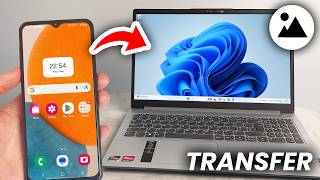
This guide shows you how to get a wireless keyboard and mouse combo working on a laptop or desktop PC. It covers the USB receiver method and the Bluetooth method. It suits anyone setting up a new combo for the first time. You only need the devices, batteries and a free USB port.
YouTube video: How to Connect Wireless Keyboard and Mouse to Laptop or PC
Caption availability is unknown. Check the CC control in the YouTube player.
- Video length
- 2 min 30 s
- Time to do it
- 10 minutes
- Difficulty
- Easy
- Steps
- 8
What you need
Steps
Turn the keyboard and mouse over and open the battery covers. Put in fresh AA or AAA batteries, matching the plus and minus marks, then close the covers.
Find the power switch on the back or bottom of each device and slide it to On. Many combos have a small LED that flashes once.
Take the small USB receiver out of the mouse battery slot or the box. Plug it into a free USB port on your laptop or PC.
Wait 10 to 30 seconds. Windows or macOS will install the driver on its own, and you may see a short notification when it finishes.
Move the mouse and type a few letters to test the connection. If both respond, you are done.
For a Bluetooth keyboard or mouse, hold the pairing button until the light blinks fast. Open Settings, then Bluetooth and other devices, and turn Bluetooth on.
Click Add device, choose Bluetooth, and pick your keyboard or mouse from the list. Click Pair and confirm the code if one appears.
If a combo comes with a pairing utility, open it, click the Connect or Pair button, then press the connect key on the keyboard within 30 seconds.
Tips and common mistakes
Plug the receiver into a USB 2.0 port or use a short extension cable if the mouse stutters, since USB 3.0 ports can cause interference.
Keep the receiver in the same port, because some combos need to re-pair when you move it to a new one.
Check the battery contacts for plastic shipping tabs before assuming the device is faulty.
Charge rechargeable models fully before the first setup.
Questions
Do I need to install software for a wireless keyboard and mouse?
No. Windows, macOS and ChromeOS install basic drivers automatically. You only need the maker's app for extra button remapping or macros.
Why does my wireless mouse not work after plugging in the receiver?
Check the power switch and batteries first, then try another USB port. If it still fails, press the connect button on the receiver and the device to re-pair them.
Can I use one receiver for both the keyboard and mouse?
Yes, if they came as a combo. A single receiver usually handles both, but separate devices each need their own dongle or a Bluetooth connection.
The notes are drafted automatically from video details and general task knowledge. How the guide was prepared
Report a correction