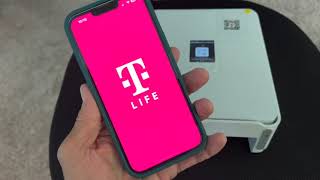
You can put a Rollo thermal label printer on your Wi-Fi in two ways: the WPS button method or the Rollo app. Both work from a phone or computer and take a few minutes. You need your Wi-Fi name and password and a router with a WPS button for the first method.
YouTube video: Rollo Printer Wifi Setup Tutorial | 2 Ways How to Connect Rollo Wireless Label Printer To Wifi
Caption availability is unknown. Check the CC control in the YouTube player.
Choose a chapter (4)
- Video length
- 6 min 37 s
- Time to do it
- 10 minutes
- Difficulty
- Easy
- Steps
- 9
What you need
Steps
Plug in the printer and turn it on. Wait for it to finish starting up before you change any settings.
If the printer was set up before, do a factory reset so it forgets the old network. Check the Rollo manual for the reset button or key combination on your model.
Press the WPS button on your router. Most routers show it on the back or side, and it may flash a light.
Within about two minutes, press and hold the printer's Wi-Fi or feed button until the light blinks. The printer then joins the network on its own.
Wait for the printer light to stay solid. That means it is connected to your Wi-Fi.
If WPS does not work, install the Rollo app on your phone or tablet and open it.
In the app, choose to add a printer and pick your Rollo model. Follow the on-screen prompts.
Enter your Wi-Fi network name and password when asked. Use the 2.4 GHz network if your router has both bands.
Print a test label from the app or from your computer to confirm the connection works.
Tips and common mistakes
WPS only works for a short window, so press the router button and the printer button close together.
Many thermal printers only join 2.4 GHz networks, so pick that band if your router splits them.
Do a factory reset first if the printer keeps trying to reach an old network.
Keep the printer and router in the same room during setup to get a strong signal.
Questions
What if my router has no WPS button?
Use the Rollo app method instead. It connects the printer by sending your Wi-Fi details from your phone.
Why does the printer not show up after setup?
Check that your phone or computer is on the same Wi-Fi network. If not, reset the printer and run the setup again.
Can I connect the Rollo with a USB cable instead?
Yes. The printer also works over USB with Windows and Mac, which is a good fallback if Wi-Fi keeps failing.
The notes are drafted automatically from video details and general task knowledge. How the guide was prepared
Report a correction