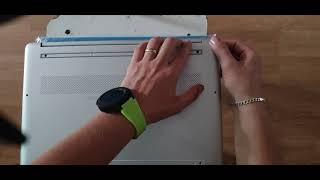
Open your ASUS ROG Strix G512 and clear dust from the cooling fans, heat pipes and vents. This guide suits anyone whose gaming laptop runs hot or loud and who is comfortable using a small screwdriver. Shut down, unplug the charger and disconnect the battery before you start.
YouTube video: ASUS ROG Strix G512 Laptop Cleaning | Fan & Internal Dust Cleaning
Caption availability is unknown. Check the CC control in the YouTube player.
- Video length
- 1 min 39 s
- Time to do it
- 45 minutes
- Difficulty
- Medium
- Steps
- 9
What you need
Steps
Shut the laptop down and unplug the charger. Hold the power button for a few seconds to drain leftover charge, then wash and dry your hands.
Flip the laptop over and remove every screw from the bottom cover. Keep them in a cup or tray so none go missing.
Slide a plastic pry tool into the seam and work around the edges to release the clips. Lift the bottom cover off slowly.
Disconnect the battery connector from the motherboard before touching anything else. This protects the board from shorts.
Hold the fan blades still with a finger or brush and blow compressed air through the fans and out the vents. Never let the fans spin freely.
Brush dust off the heat pipes, vents and motherboard area. Use short bursts of air and keep the can upright so no liquid sprays out.
Check the vents and exhaust grilles for packed dust and clear them with the brush or a cotton swab.
Reconnect the battery, refit the bottom cover and press the clips down. Replace all screws and tighten them gently in a cross pattern.
Power on and listen to the fans. Run a game or benchmark for a few minutes to confirm temperatures and noise are better.
Tips and common mistakes
Work on a clean table and keep screws sorted by location, since lengths can differ.
Do not spin the fans with compressed air, as it can damage the bearings.
Clean every 6 to 12 months if you game often or live in a dusty place.
If the laptop is still under warranty, check the terms before opening the case.
Questions
Do I need to remove the heatsink to clean the fans?
No. For normal dust cleaning you can leave the heatsink in place and just blow air through the fans and vents. Removing it means replacing thermal paste, which is a bigger job.
How often should I clean my gaming laptop?
Every 6 to 12 months is a good rule for most people. Clean more often if the fans get loud quickly or you use the laptop in a dusty room.
What if the laptop will not start after cleaning?
Check that the battery connector is fully seated and that no cables were knocked loose. If it still will not start, stop and get help from a repair shop.
The notes are drafted automatically from video details and general task knowledge. How the guide was prepared
Report a correction