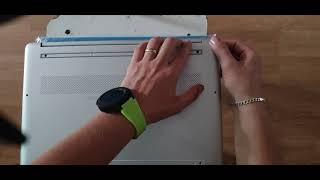
Dust in the vents makes an older laptop run hot, loud and slow. This guide shows you how to clear the vents from the outside with compressed air and a cloth, no screwdriver needed. It suits any laptop owner and takes about 10 minutes.
YouTube video: Stop Your Laptop Roaring — Clean Its Dusty Vents in 10 Minutes, No Disassembly
Caption availability is unknown. Check the CC control in the YouTube player.
- Video length
- 1 min 1 s
- Time to do it
- 10 minutes
- Difficulty
- Easy
- Steps
- 8
What you need
Steps
Shut the laptop down completely and unplug the power adapter. Wait a minute so the fan stops spinning before you start.
Move to a well ventilated spot, ideally outside or near an open window, so the dust you blow out does not settle back in the room.
Find the vents. They are usually on the underside, plus the side or back edge of the case.
Hold the compressed air can upright and give short bursts from a slight angle so dust blows out of the vent, not deeper inside.
Brush loose dust off the vent grilles with a soft brush. Keep the brush still and light so you do not push dust inward.
Wipe around the vents with a dry microfiber cloth. Never vacuum inside the vents or poke anything into them.
Set the laptop on a hard, flat surface such as a desk or table. Avoid beds, couches and cushions that block airflow underneath.
Power the laptop back on and listen. The fan should be quieter and the air coming out cooler.
Tips and common mistakes
Keep the air can upright, because tilting it can spray cold liquid onto the parts.
Use short bursts rather than one long blast to avoid spinning the fan too fast.
Clean the vents every few months if you use the laptop on soft surfaces or in a dusty room.
Never open the case or vacuum inside unless you know the warranty rules for your model.
Questions
Can I use a household vacuum instead of compressed air?
No. A vacuum can build static and pull dust deeper into the laptop. Use compressed air and a dry cloth instead.
Will this fix an overheating laptop for good?
It helps a lot if dust is the cause. If the laptop still runs hot after cleaning, the thermal paste or fan may need a professional check.
Do I need to open the laptop to clean the fan?
Not for this method. It clears the vents from outside. A deeper fan clean means opening the case, which is a separate job.
The notes are drafted automatically from video details and general task knowledge. How the guide was prepared
Report a correction