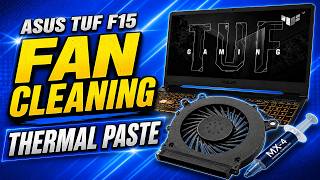
How to clean out dust inside your laptop, by ScottiesTech.Info on YouTube. 11 min 44 s.
- Video length
- 11 min 44 s
- Time to do it
- 20 minutes
- Difficulty
- Easy
- Steps
- 9
What you need
Steps
Shut down the laptop and unplug the power adapter. Remove the battery if it is easy to take out, then wait a minute before you start.
Take the laptop outside or to a well-ventilated room. Dust will blow out, so keep drinks and other items away from the work area.
Find the intake vents underneath and the exhaust vent on the side or back. Check the manual or search your model if you cannot spot them.
Hold the can upright and give short bursts of air into the vents. Keep the nozzle a few centimetres away and stop if moisture appears.
Remove the bottom panel if your model allows it. Keep the screws in a cup and use a plastic spudger to lift the panel without cracking it.
Hold each fan blade still with a soft brush or cotton swab while you blow air. Do not let the fan spin freely at high speed.
Brush dust off the fan blades and heatsink fins. Wipe loose dust from the vents with a microfiber cloth.
Put the panel back and tighten the screws gently. Reconnect the battery and power adapter, then start the laptop and listen for the fan.
Run a normal task for a few minutes and check that the fan noise and heat have dropped. Repeat the clean every six months.
Tips and common mistakes
Keep the compressed air can upright and do not shake it right before use, or it can spray cold liquid.
Do not let the fan spin with the air blast. Hold the blades still to protect the bearing.
Use an anti-static wrist strap if you open the case, and touch bare metal before handling parts.
Work outside or over a bin, and wear a mask if dust makes you cough.
Questions
Can I clean the fan without opening the laptop?
Yes, short bursts of air through the vents can remove loose dust. If the fan is packed with lint, you will need to open the back panel for a proper clean.
How often should I clean laptop dust?
About every six months in a normal home, and more often if you have pets or smoke nearby.
What if the fan still sounds loud after cleaning?
Check that the vents are clear and the laptop sits on a hard surface. A worn fan bearing may need a replacement fan.
This guide was drafted from the video's details and general task knowledge. It has not been checked against the full video. Check the video and relevant product instructions before following a procedure. Report a correction.