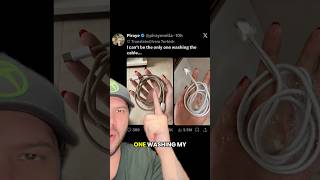
How to Clean an Apple USB-C Cable Safely, by Free Tech Guide on YouTube. 3 min.
- Video length
- 3 min
- Time to do it
- 10 minutes
- Difficulty
- Easy
- Steps
- 8
What you need
Steps
Unplug the cable from the charger and your iPhone or Mac. Never clean a cable while it is carrying power.
Look inside both USB-C connectors with a torch. Check for lint, dust balls or bent pins before you touch anything.
Brush the loose lint out of each connector with a dry soft toothbrush. Hold the plug face down so debris falls out, not in.
Wipe the woven sheath with a microfiber cloth slightly dampened with water and a drop of mild soap. Work along the braid, not across it.
For grey stains on the white cable, put a little 70 percent isopropyl alcohol on the cloth and rub the spot gently. Let it air dry.
Clean the connector shell with a dry cotton swab. Do not push the swab onto the gold pins or scrape inside with anything metal.
Leave the cable in open air for at least 10 minutes until every part feels completely dry. Moisture in the port can stop charging or cause corrosion.
Coil the cable loosely when you store it. Avoid tight bends right at the connector, which is where cables usually fail.
Tips and common mistakes
Skip harsh cleaners, bleach, acetone and abrasive pads, as they strip the white finish and can damage the plastic.
Never pour or spray liquid directly onto the connector, and never plug in a cable that still feels damp.
Do not use metal pins, needles or paper clips inside the port, as they scratch the contacts.
Clean the cable every few months, or sooner if it stops charging reliably.
Questions
Can I wash a USB-C cable with water?
Only the outer woven sheath, using a barely damp cloth. Keep water away from the metal connectors and let the cable dry fully before use.
Why does my cable look dirty even after wiping?
The white braid traps hand oils and dye from bags and pockets. A cloth with a little isopropyl alcohol lifts most of it, but light greying over time is normal.
Can I use hand sanitiser to clean the cable?
It is better to avoid it. Sanitiser often contains moisturisers and fragrances that leave a sticky film, so use plain 70 percent isopropyl alcohol instead.
This guide was drafted from the video's details and general task knowledge. It has not been checked against the full video. Check the video and relevant product instructions before following a procedure. Report a correction.