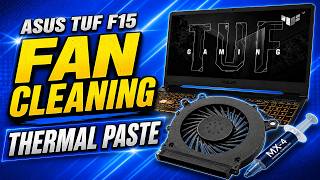
Complete Laptop Cleaning Guide | Follow to Increase Laptop Life, by Work with Style on YouTube. 16 min 47 s.
- Video length
- 16 min 47 s
- Time to do it
- 45 minutes
- Difficulty
- Medium
- Steps
- 8
What you need
Steps
Shut the laptop down, unplug the charger and every cable, then close the lid. If your battery comes out easily, remove it first.
Wipe the display with a dry microfiber cloth to lift loose dust. Spray cleaner onto the cloth, never onto the screen, then wipe in one direction.
Brush the lid, palm rest and gaps between the keys with a soft brush, then use short bursts of air across the keyboard.
Shine a light into the ports and side vents. Pull out lint with a plastic toothpick and never with a metal pin.
Back up your files. Undo the screws on the bottom panel with a precision screwdriver, keep them grouped by position, and lift the panel slowly so the clips do not snap.
Unplug the battery connector from the motherboard. Hold each fan blade still with a finger and brush the dust off, or blow air in short bursts.
Clear the heatsink fins and exhaust vents from the inside, then wipe the inner surface with a dry microfiber cloth.
Refit the panel, tighten the screws in a cross pattern, reconnect the battery and start the laptop. Check that the fan sounds quieter and the case stays cooler.
Tips and common mistakes
Never spray liquid straight on the screen or keyboard, because it can run inside the case.
Hold the fan blades while you blow air so they do not spin fast and damage the bearing.
Work on a clean table in good light and photograph the screws before you remove them.
Clean every 6 to 12 months, or sooner if you use the laptop in a dusty room or on a bed.
Questions
Can I clean the fan without opening the laptop?
You can blow short bursts of air through the side and bottom vents, which removes loose dust. Dust stuck to the fan blades and heatsink usually needs the back panel off.
Will opening the laptop void my warranty?
On many laptops it can, so check the warranty terms first. If the laptop is still covered, ask the maker or service centre to do the cleaning.
How do I know the fan needs cleaning?
The fan runs loud or almost constantly, the case gets hot, and the exhaust air feels weak. These signs usually mean dust is blocking the fins.
This guide was drafted from the video's details and general task knowledge. It has not been checked against the full video. Check the video and relevant product instructions before following a procedure. Report a correction.