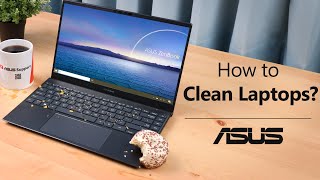
You will learn how to lift dust, crumbs and fingerprints off a laptop without damaging the screen coating or the keys. It suits anyone with a grimy work or shared laptop. All you need is a microfiber cloth, distilled water, 70 percent isopropyl alcohol and some compressed air.
YouTube video: How to clean a dirty laptop
Caption availability is unknown. Check the CC control in the YouTube player.
Other videos for this task
- How to clean a laptop screen and keyboard safely 8:56 · 8 written steps
- How to clean a laptop screen and keyboard safely 3:54 · 6 written steps
- Video length
- 3 min 53 s
- Time to do it
- 15 minutes
- Difficulty
- Easy
- Steps
- 10
What you need
Steps
Shut the laptop down completely and unplug the power adapter. Pull out USB drives, cables and the SD card, then move the machine to a clean, flat table.
Tilt the laptop on its side and shake it gently so loose crumbs fall out from between the keys. Do this over a bin, not over carpet.
Give the keyboard short bursts of compressed air, holding the can upright and moving along each row. Keep the nozzle a few centimetres away.
Brush between the keys with a dry soft brush to loosen dust the air missed. Work from the top row down to the space bar.
Wipe the keycaps and palm rest with a microfiber cloth lightly dampened with distilled water. Add a drop of mild soap for greasy patches.
Dip a cotton swab in 70 percent isopropyl alcohol and run it around the edges of sticky or shiny keys. Never pour or spray liquid onto the keyboard.
Wipe the screen with a dry microfiber cloth in gentle side to side strokes. Skip paper towels, tissues and vinegar, which can scratch or strip the coating.
Dampen a second microfiber cloth with distilled water or 70 percent isopropyl alcohol and wring it out until barely damp. Wipe the screen again, then buff it dry.
Blow dust out of the side and bottom vents with short bursts of air. Stop the fan with a finger or a toothpick so it does not spin up.
Leave the laptop open for 10 minutes so any moisture evaporates, then plug it back in and power it on.
Tips and common mistakes
Never spray cleaner directly on the screen or keyboard, because liquid runs down into the electronics.
Hold compressed air upright and use short bursts, since tilting the can can spit propellant onto the keys.
A cloth should feel almost dry, so wring it out before touching the screen.
Keep liquids away from the vents and ports, and let everything air dry before you switch the laptop on.
Questions
Can I use disinfecting wipes on a laptop keyboard?
Yes, but wring them out first so they are barely damp, and avoid alcohol-free wipes with bleach on the screen. Wipe the keys, then dry them with a microfiber cloth.
Is rubbing alcohol safe on a laptop screen?
70 percent isopropyl alcohol is fine on most glass screens when used sparingly on a cloth. Check your manufacturer's guide first, because some matte or anti-glare coatings are fragile.
How do I get crumbs out from under the keys?
Turn the laptop upside down and shake it, then use compressed air and a soft brush. For sticky residue, use a cotton swab with a little isopropyl alcohol around the key edges.
The notes are drafted automatically from video details and general task knowledge. How the guide was prepared
Report a correction