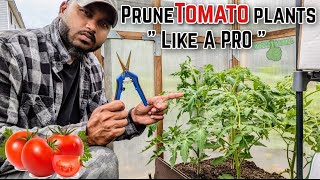
Pruning the wrong tomato plant can cost you the whole harvest. This guide shows you how to tell determinate, indeterminate and semi-determinate tomatoes apart, and why you should not prune determinate plants. It suits beginners growing tomatoes in beds, bags or pots.
YouTube video: WARNING: Pruning This Tomato Plant Will Ruin Your Harvest!
YouTube’s video details do not confirm captions. Check CC in the player for available tracks.
Choose a chapter (5)
- Video length
- 3 min 22 s
- Time to do it
- 10 minutes
- Difficulty
- Easy
- Steps
- 6
What you need
Steps
Check the plant label or seed packet for the words determinate, indeterminate or semi-determinate. If the label is gone, identify the type by watching how the plant grows.
Look at the main stem. Indeterminate tomatoes keep growing taller all season and produce fruit along the vine until frost.
Look for a plant that stops growing at a set height and puts out one big cluster of fruit at the top. That is a determinate tomato.
Semi-determinate plants grow to a medium height and then stop. They sit between the other two types.
Do not prune or pinch out suckers on determinate or semi-determinate plants. Removing growth cuts the fruit you would get.
If you have an indeterminate plant and want to prune, remove only small suckers by hand or with clean snips. Leave the main stems alone.
Tips and common mistakes
Pruning a determinate tomato can leave you with no fruit at all.
When in doubt, skip pruning and let the plant grow.
Clean your snips between plants to avoid spreading disease.
Questions
Can I prune a determinate tomato plant?
No. Determinate plants stop growing at a set height and set fruit once, so pruning removes the growth that would carry your harvest.
How do I know which type I have?
Check the plant tag or seed packet first. If it is missing, watch the growth: tall vines that keep fruiting are indeterminate, short plants with one top cluster are determinate.
The notes are drafted automatically from video details and general task knowledge. How the guide was prepared
Report a correction