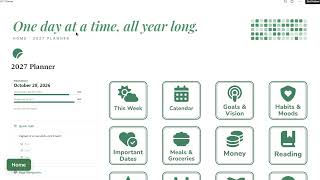
Build a Notion dashboard that holds all your projects and tasks in one place. You will create a database, add status, priority and due date properties, then set up board, table and calendar views. It suits beginners managing personal or team work in Notion.
YouTube video: How to Create a Project Management Dashboard in Notion | Complete Beginner Tutorial (2026)
Caption availability is unknown. Check the CC control in the YouTube player.
- Video length
- 10 min 2 s
- Time to do it
- 25 minutes
- Difficulty
- Easy
- Steps
- 10
What you need
Steps
Open Notion and create a new blank page. Give it a clear name like Projects Dashboard and add a short intro line so you know what the page is for.
Type /database and choose Database inline or Database full page. This becomes the master list where every project and task lives.
Rename the database Projects. Open the first row and rename the default Name property to Project name, then add a few real projects.
Add a Status property and set options such as Not started, In progress, Blocked and Done. Add a Priority property with High, Medium and Low.
Add a Date property called Due date and a People property called Owner. Fill in a deadline and assign a person to each project.
Switch the database to Board view and group it by Status. This gives you columns you can drag projects across as work moves forward.
Add a Calendar view grouped by Due date so deadlines show on a monthly grid. Keep the Table view for a full sortable list.
Create a second database called Tasks and link it to Projects with a Relation property. Add tasks and connect each one to its project.
On the dashboard page, add linked views of both databases side by side. Use headings and columns to keep the layout tidy.
Filter each view, for example show only In progress items or tasks due this week. Save the filters so the dashboard stays focused.
Tips and common mistakes
Keep one database for projects and one for tasks, then link them, instead of mixing both in a single list.
Use the Status property rather than checkboxes so you can track Blocked and In progress stages.
Add a filter for tasks due in the next seven days to turn the dashboard into a weekly to-do list.
Duplicate the template page before you customise it heavily, so you can start over if the layout gets messy.
Questions
Do I need a paid Notion plan for this?
No. Databases, board views, calendar views and relations all work on the free personal plan. Paid plans mainly add guest limits and larger file uploads.
Can I share the dashboard with my team?
Yes. Click Share at the top right of the page and invite people by email, or publish it as a web link if you only need others to view it.
How do I add tasks inside a project?
Open a project row and use the relation to the Tasks database, or open the Tasks database and pick the project in the relation field. Both link the two records.
The notes are drafted automatically from video details and general task knowledge. How the guide was prepared
Report a correction