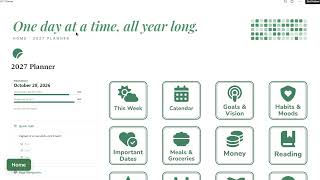
Turn scattered notes and tools into one connected Notion setup. You will map a process, build databases for it, add automations and layer in AI. It suits small business owners and freelancers who already know the Notion basics and want their operations in one place.
YouTube video: How to Use Notion Better than 99% of Agencies
Caption availability is unknown. Check the CC control in the YouTube player.
Choose a chapter (6)
- Video length
- 22 min 10 s
- Time to do it
- 90 minutes
- Difficulty
- Medium
- Steps
- 8
What you need
Steps
Open a blank Notion page and write down one process you run often, such as lead follow-up. List every step, who owns it and each decision point on one page.
Ask three questions for each step: what triggers it, who does it and what comes out. Fix gaps on the map before you build anything in Notion.
Create a new database for the main thing the process tracks, like Leads or Projects. Add properties for status, owner, date and next action.
Add a second database for the related records, such as Clients or Tasks. Link the two with a relation property so each record connects to the other.
Build views for how you actually work: a table for all records, a board grouped by status and a filtered view for items due this week.
Set up a Notion automation on the database, for example change status when a date passes or notify an owner when a new record is added.
Connect an AI tool to the database to summarise records, draft follow-ups or sort incoming notes. Test it on a few records before relying on it.
Move one real process fully into the new system and run it for a week. Add the next process only once the first one works.
Tips and common mistakes
Map the process before opening Notion, or you will build a database that does not match how work flows.
Keep one database per type of record and link them with relations instead of copying the same data into several places.
Start with one automation and check it runs correctly before adding more.
Do not paste sensitive client data into AI tools until you know how that tool stores it.
Questions
Do I need a paid Notion plan?
No. Databases, relations and basic views work on the free plan. Automations and some AI features have limits, so check your plan before relying on them.
What is the difference between a process map and a database?
The map is a plain page showing steps, owners and decisions. The database is where the records live and move through those steps.
How many databases should I start with?
Start with one or two linked databases for a single process. Add more only after the first setup runs smoothly for a week.
The notes are drafted automatically from video details and general task knowledge. How the guide was prepared
Report a correction