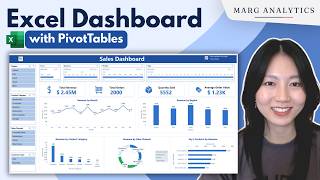
You will build a side-by-side dashboard in AppSheet where a single-record Filter table drives a filtered data slice. It suits no-code app builders who already have a data table and want live filtering with reset and CSV export buttons. You need an AppSheet account and an existing app with data.
YouTube video: How to Build an Interactive Filter Dashboard in AppSheet (Step-by-Step) | #appsheet #mobileapp
Captions are available. Use CC in the YouTube player.
- Video length
- 20 min 5 s
- Time to do it
- 45 minutes
- Difficulty
- Medium
- Steps
- 6
What you need
Steps
Create a new table called Filter with a single record. Add columns for each control you want, such as a text search field, a date range, a min and max amount, and a multi-select EnumList.
Open the Filter table's Detail view and turn on QuickEdit for the columns you want to change live. This lets values update without opening a form.
Create a Slice on your main data table. In the row filter condition, compare each column to the matching Filter column, using SPLIT() and IN() for the EnumList.
Add a Reset Filter action on the Filter table. Set each text and date column to blank, and set number columns with IFS(FALSE, 0) so they clear to null instead of zero.
Add a Download CSV action that runs on the filtered slice, so it exports only the rows that match the current filter.
Build a Dashboard view and place the Filter Detail view and the filtered table view side by side. Save and test each control.
Tips and common mistakes
Use IFS(FALSE, 0) when clearing number columns, or blank text turns into 0 and breaks your filter.
Test the slice with empty filter values first so the dashboard shows all rows by default.
Keep the Filter table to one record, or the controls will not behave as a single dashboard.
Questions
Do I need to know AppSheet expressions?
Yes, a little. The slice uses SPLIT() and IN() to match multi-select values, so basic expression knowledge helps.
Why does my number filter reset to 0?
Setting a number column to an empty string converts it to 0. Use the IFS(FALSE, 0) expression to clear it to null instead.
Can I export only the filtered rows?
Yes. Point the CSV export action at the filtered slice rather than the full table.
The notes are drafted automatically from video details and general task knowledge. How the guide was prepared
Report a correction