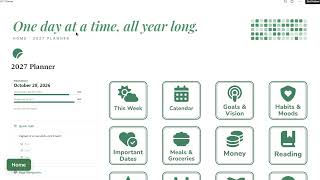
Set up Claude as a personal assistant that sends you a morning briefing, using Notion to store your tasks and notes. It suits beginners who want one place for their daily priorities. You need free Claude and Notion accounts and a folder of your own notes.
YouTube video: I Made Claude My Personal Assistant (Full Build)
YouTube’s video details do not confirm captions. Check CC in the player for available tracks.
Choose a chapter (10)
- Video length
- 28 min 36 s
- Time to do it
- 45 minutes
- Difficulty
- Medium
- Steps
- 8
What you need
Steps
Create a folder on your computer for the notes, files and documents Claude should read. Keep it tidy so the assistant only sees useful context.
Sign in to Claude and connect the apps you want it to use, such as your calendar and email. Grant only the access you are comfortable with.
In Notion, create two databases: one for your daily briefings and one for tasks. Add fields for date, priority, status and due date.
Write a set of instructions for Claude. Say who you are, what the morning brief must contain, its length and tone, and which Notion databases to read and write.
Create a scheduled task in Claude and set it to run each morning before you start work. Point it at your instruction document and your Notion databases.
Choose how the brief reaches you, such as a Notion page or a message. Test the delivery once by hand before relying on the schedule.
Run the task and check the output. Fix any missing sections by editing the instructions, then run it again.
Build a short context map listing where your key information lives, so Claude knows which file or database to check for each topic.
Tips and common mistakes
Start with a small folder of notes so the first briefs are easy to check.
Keep your instructions in one document so you can update them in one place.
Review the first few briefs before trusting the schedule fully.
Do not connect accounts you would not want an assistant to read.
Questions
Do I need to pay for Claude or Notion?
The build works with free accounts, but scheduled tasks and app connections may need a paid plan. Check the current limits before you start.
Can I use this for email instead of a morning brief?
Yes. The same setup can draft or sort emails if you write instructions for that task and connect your email app.
What if the brief misses my tasks?
Check that the task database name and fields in your instructions match the real Notion database, then run the task again.
The notes are drafted automatically from video details and general task knowledge. How the guide was prepared
Report a correction