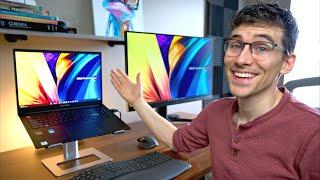
The Ultimate M6 Mac mini Desk Setup (Clean & Productive), by André Creates on YouTube. 11 min 6 s.
- Video length
- 11 min 6 s
- Time to do it
- 2 hours
- Difficulty
- Medium
- Steps
- 10
What you need
Steps
Set your three rules first: keep the desk surface clear, put every cable out of sight, and place each item where your hands naturally reach. Write them down before you buy anything.
Assemble the desk and place it so the monitor sits at eye level and you face a wall or window, not a busy walkway. Leave space behind the desk for cable routing.
Build the chair and set the seat height so your feet rest flat on the floor and your thighs are level. Adjust the armrests to just below your elbows.
Place the Mac mini on the desk or mount it underneath. Connect the monitor, keyboard and trackpad, then check that the ports you use daily are easy to reach.
Plug the external SSD into the Thunderbolt 4 dock and connect the dock to the Mac mini with one cable. Move your large files and projects to the SSD to save internal storage.
Mount the webcam on top of the monitor and angle it so your face is centred. Set it as the camera in your video call app and test the framing.
Position the 5K display about an arm's length away with the top of the screen at or slightly below eye level. Set the resolution and colour profile in System Settings.
Clip the light bar to the top of the monitor and aim it down at the desk, not at the screen. Adjust brightness so there is no glare and no shadow on your keyboard.
Place the keyboard and trackpad so your elbows stay near 90 degrees. Put the wrist rest in front of the keyboard and keep your wrists straight, not bent up.
Route all cables along the back of the desk and bundle them with velcro straps. Put the charging station at the desk edge so phones and laptops can charge without clutter.
Tips and common mistakes
Raise the monitor before you buy a new desk. A stack of books under the stand is a free way to test the right height.
Keep the desk surface for what you use hourly. Store everything else in a drawer or under the desk.
Take a short break every 45 to 60 minutes and stand up. A good chair does not cancel out sitting all day.
Label both ends of each cable before you bundle them so you can swap a device later without undoing the whole run.
Questions
Do I need a Thunderbolt dock for a Mac mini?
No, but it helps. A dock lets you connect an external SSD, monitor and charger through one cable and keeps the ports on the Mac mini free.
How high should my monitor be?
The top of the screen should sit at or slightly below eye level, about an arm's length away. Your neck should stay straight when you look at the centre of the screen.
Can I do this setup on a smaller budget?
Yes. Start with the desk, chair height and monitor position. Add the dock, light bar and wrist rest later once the basics feel comfortable.
This guide was drafted from the video's details and general task knowledge. It has not been checked against the full video. Check the video and relevant product instructions before following a procedure. Report a correction.