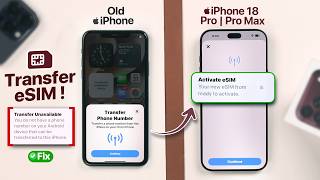
Add a carrier eSIM to your iPhone Duo so you can use a new mobile plan without a plastic SIM. It suits anyone setting up a new line or moving from a physical SIM. You need Wi-Fi and a QR code or activation details from your carrier.
YouTube video: iPhone Duo: How to Add eSIM
Caption availability is unknown. Check the CC control in the YouTube player.
Choose a chapter (7)
- Video length
- 1 min 31 s
- Time to do it
- 5 minutes
- Difficulty
- Easy
- Steps
- 8
What you need
Steps
Connect your iPhone Duo to a stable Wi-Fi network. The eSIM setup needs a connection to reach your carrier and download the plan.
Open Settings and tap Mobile Service, then tap Add eSIM. If your region uses different wording, look for Cellular or Add Plan.
Choose how to activate: scan a QR code from your carrier or enter the activation details manually. Pick the option your carrier gave you.
Hold the QR code steady in front of the camera. Keep the whole code inside the frame until the phone reads it.
If you chose manual entry, type the SM-DP+ address and activation code exactly as your carrier supplied them, then tap Next.
Wait while the iPhone Duo downloads the plan. Leave the screen open and do not close Settings until it confirms the eSIM is ready.
Choose what the line is for, such as Primary, Secondary, Travel or Business, and set which line handles data, calls and iMessage.
To add a second plan, tap Add eSIM again and repeat the scan or manual entry. You can store several eSIMs and switch between them.
Tips and common mistakes
Keep the carrier QR code on a second screen or print it out, since you cannot scan it from the same phone.
Label each line clearly so you do not send texts or use data from the wrong plan.
If activation stalls, toggle Airplane Mode on and off, or restart the phone before calling your carrier.
Remove an old eSIM only after the new line works, so you do not lose your number.
Questions
Do I need Wi-Fi to add an eSIM?
Yes, setup downloads the carrier profile, so join Wi-Fi first. You can use mobile data if your old line still works, but Wi-Fi is more reliable.
What if the QR code will not scan?
Move to brighter light, clean the camera lens and hold the phone about 15 to 20 cm away. If it still fails, use the manual activation details instead.
Can I use two eSIMs at once?
The iPhone Duo stores multiple eSIMs, but only a limited number can be active at the same time. You can switch which line is on in Settings.
The notes are drafted automatically from video details and general task knowledge. How the guide was prepared
Report a correction