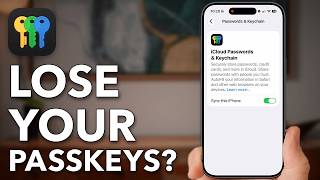
Add a passkey so you can sign in with your face, fingerprint or phone PIN instead of typing a password. It suits anyone who wants stronger protection against fake login pages. You need a Google or Microsoft account and a device with a screen lock set up.
YouTube video: Why Passkeys Don’t Work on Fake Websites | Passkeys Explained
Caption availability is unknown. Check the CC control in the YouTube player.
- Video length
- 2 min 9 s
- Time to do it
- 5 minutes
- Difficulty
- Easy
- Steps
- 7
What you need
Steps
Open your Google Account security page at myaccount.google.com/security, or your Microsoft account security page. Sign in with your current password.
Find the passkey option. On Google, look for Passkeys under how you sign in. On Microsoft, look for Sign-in options or Add a passkey.
Choose Add a passkey and confirm it is you with your fingerprint, face or device PIN. This check happens on your device only.
Give the passkey a name you will recognise later, such as your phone model or work laptop, then save it.
Sign out and sign back in, picking the passkey option, to confirm it works before you rely on it.
Repeat the same steps for your email account, then for your bank if it offers passkeys.
Keep a second way in, such as your password, a recovery code or a security key, in case your phone is lost.
Tips and common mistakes
Each passkey is made for one website, so a lookalike login page gets nothing useful from your device.
Your fingerprint or face data stays on your device and is not sent to the website during sign-in.
Don't delete your password or recovery codes until you have tested the passkey at least once.
If your passkeys sync through a provider, protect that provider account with a strong password and two-step verification.
Questions
What happens if I lose my phone?
It depends on your provider. Many passkeys sync end-to-end encrypted to your other devices, while others stay locked to one device. Set up a backup sign-in method before you need it.
Does the website get my fingerprint?
No. Your fingerprint, face or PIN only unlocks the passkey on your own device. The site receives a signed answer, not your biometric data.
Can I still sign in with my password?
Usually yes, until you remove it. Passkeys sit alongside passwords at most services, so keep the password as a fallback.
The notes are drafted automatically from video details and general task knowledge. How the guide was prepared
Report a correction